The Suffix Trap: Decoding UK Cartridge Codes Before You Hit Buy
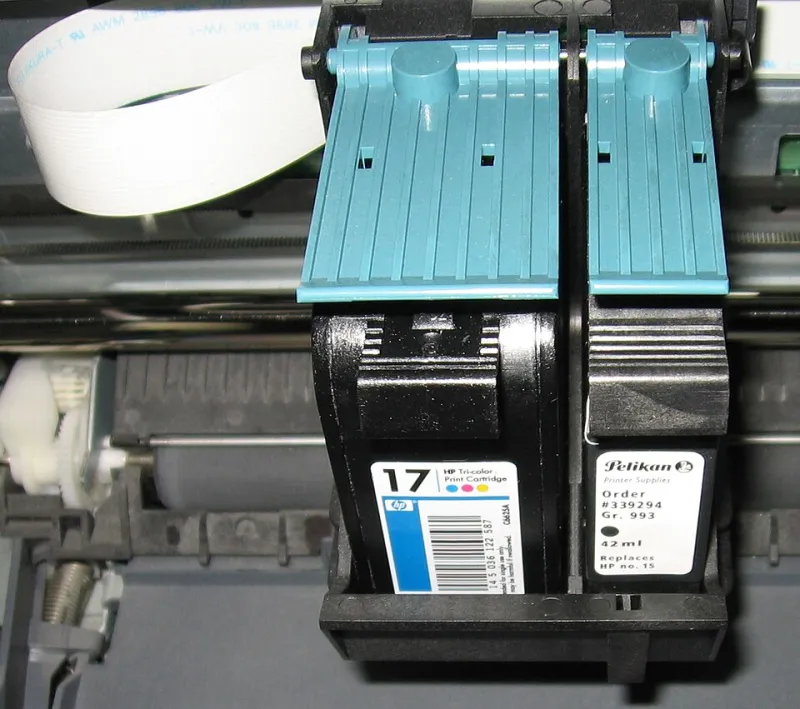
Photo: Julo, Public domain, via Wikimedia Commons
There is a special kind of Monday-morning disappointment that comes from opening a cartridge, peeling the seal, slotting it in, and watching the printer flash a message that basically says: not today. The box said 'compatible with 302'. The retailer said it fitted your model. The price was right. And yet the printer has decided otherwise.
The problem is that 'compatible with 302' is not a compatibility promise. It is a family name. In the UK, HP, Canon, Epson and Brother all sell cartridge ranges where one headline number covers several printers, yields, colours, packaging regions and chip revisions. If you buy on the headline alone, you are hoping the rest of the label matches. Sometimes it does. Sometimes you have just bought a very small plastic paperweight.
The number on the box is only the start
A cartridge code usually tells you which ink family you are in. HP 302, Canon PG-540, Epson 29 and Brother LC-123 are useful starting points. They are not your printer's full address.
Your printer's exact model matters. 'HP DeskJet' is not a model; 'HP DeskJet 2720e' is. 'Canon PIXMA' is a range; 'Canon PIXMA TS5150' is the thing on your desk. The label on the back or underneath the printer, or the model shown in the printer's menu, is the detail a seller needs. If a listing only says 'fits DeskJet' or 'fits PIXMA', treat that as a warning light rather than a green tick.
Then there are the variants within the family. Standard versus XL. Black versus tri-colour. Single cartridge versus multipack. A multipack can pair an XL black with a standard colour cartridge, which is fine if that is what you wanted and less fine if you assumed both were high yield. A listing that shouts 'XL' in the title but shows a standard-yield cartridge in the small print is one of the most common near-misses in UK online shopping.
Suffixes, region codes and the XL illusion
Suffixes are where the plot thickens. An XL cartridge normally fits the same printer as the standard version but holds more ink. That does not automatically make it better value. If you print a handful of pages a month, a high-yield cartridge can sit in the printer for so long that it dries out or gets replaced before you have used the extra ink. For a busy household, XL is usually the smarter buy. For a light user, it can be false economy.
Region codes are the quieter trap. Cartridges and their chips can be packaged for different markets, and a cartridge that physically fits can still be rejected if its chip is not the version your printer expects. Grey imports and marketplace listings that ship from outside the UK are worth checking closely, especially if the price looks too good. The printer does not care that the cartridge was a bargain; it cares whether the chip and firmware agree.
Packaging can also differ within the same product family. Retail multipacks, subscription cartridges and cartridges sold with a new printer may not be identical to the standalone retail version. That matters if you are buying from a seller who has split a multipack or is selling surplus stock. Ask what is actually in the box before you pay.
The chip revision nobody puts in the title
Modern cartridges are not just ink tanks. They are little authenticated components. HP, Canon, Epson and Brother all use chip-based systems to varying degrees, and firmware updates can change how strict the printer is about third-party chips.
This is why a compatible cartridge that worked for thousands of buyers last year can suddenly produce 'cartridge not recognised' errors after a printer update. The seller may have a newer chip revision, an older one, or a batch that sits awkwardly between the two. The listing title rarely tells you.
Before buying a third-party cartridge, look for recent reviews that mention your exact printer model, not just the cartridge number. Sort the reviews by newest. Search the page for your model and the word 'firmware'. If the seller has a compatibility chart, use it, but check that it lists your full model rather than a broad series. A good seller will also tell you whether the cartridge is new, remanufactured or refilled, and what its returns policy is.
The pre-checkout checklist
Before you hit buy, run this list. It takes two minutes and can save a return, a wasted trip to the Post Office and a lot of swearing.
- The printer's full model number, taken from the label or menu, not the marketing name.
- The old cartridge's full code, including any suffix such as XL, and its colour.
- The region or part-number suffix on the old cartridge, if there is one.
- Whether the listing is for genuine, compatible, remanufactured or refilled cartridges.
- The quoted page yield and whether it is based on the standard test method or a vague 'up to' claim.
- The pack contents: one cartridge, a multipack, or a bundle with paper.
- Recent reviews from buyers with your exact printer.
- The seller's returns policy and whether you can return an unopened cartridge.
- Whether the price includes VAT and delivery, because marketplace prices can change at checkout.
If you want a printable version, copy that list into your phone notes and tick it off the next time you order. It is not glamorous, but neither is a drawer full of wrong cartridges.
Three near-misses that look fine at checkout
The first is the 'XL' that is not XL. The title says high yield, the photo shows a big box, the price is suspiciously low, and the specification quietly says standard yield. Always match the product code and yield, not the badge.
The second is the multipack shuffle. A 'value pack' may contain one XL cartridge and one standard cartridge, or a black and colour pair where only the black is high yield. That can still be a useful pack, but compare the price against buying the two cartridges separately. Sometimes the pack is a genuine saving; sometimes it is a way of shifting a standard cartridge.
The third is the chip-revision mismatch. The cartridge number is right, the shape is right, but the chip is from an older batch or a different region. The printer gives a recognition error, and the seller's listing did not mention firmware at all. This is particularly common with marketplace sellers who stock several suppliers at once. Buy from a seller that names the chip type and accepts returns, not one that simply says '100% compatible'.
If it has already gone wrong
Do not force the cartridge. Check that the protective tape is off, that the contacts are clean and dry, and that the cartridge is seated properly. If the printer has just updated its firmware, that is a clue rather than a coincidence. Put the old cartridge back in to confirm the printer itself is working, then contact the seller with your printer model, the cartridge code and a photo of the error message.
Keep the packaging until you know the cartridge works. If you bought online, check the seller's returns process before you leave negative feedback; most reputable UK sellers would rather swap a faulty cartridge than lose a customer. And if you are buying again, go back to the checklist. Compatibility is not a vibe. It is a paper trail of model numbers, suffixes, chips and small print.
The cartridge that says 'compatible with 302' may well be compatible with your printer. But 'may well' is doing a lot of work in that sentence. Check the details, and your printer can go back to being boring, which is exactly what you want.