2am, Halls, and a Dead Cartridge: A Student’s Guide to Printing Without Campus Prices
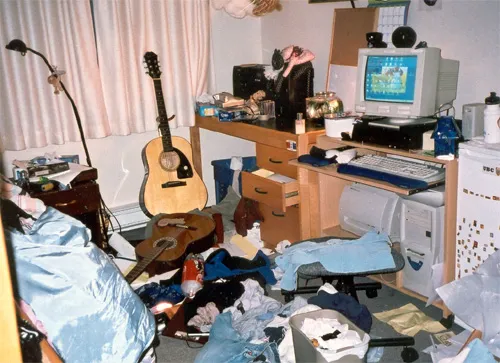
Photo: Gillian from Vancouver, Canada, CC BY-SA 2.0, via Wikimedia Commons
It is 1:47am. Your essay is due at 9am. The campus print shop opens at 8:30am, the library queue is already a rumour, and your printer has chosen this moment to flash an orange light.
Student printing is a strange branch of UK budgeting. You can spend three years carefully comparing supermarket meal deals and then blow £12 on colour printing in one afternoon because a reading pack would not fit on your phone. Whether you are in Manchester, Leeds, Bristol, Sheffield or Cardiff, the maths is similar. Campus printing is convenient, but it is not free. Owning a printer is cheap until you forget to buy ink.
This guide is for anyone in halls, a shared flat or a studio bedsit. You do not need a fancy setup. You need a plan.
The campus print shop maths
University libraries usually charge per page. Mono printing might be around 5p to 10p a page, with colour much higher and binding extra. A 3,000-word essay is roughly ten to twelve pages. A reading pack can be eighty pages. Print a few of those and the cost adds up quickly.
If you print occasionally, the campus print shop is fine. You pay for convenience and you do not lose desk space. If you print weekly, a small printer can pay for itself over a term. The key is to compare the cost per page, not the cost of the printer on its own. A £50 inkjet with £30 cartridges is not cheap if you print ten pages a month. A £70 printer with £12 compatible cartridges is better value if you print regularly.
When owning a small inkjet makes sense
A compact inkjet earns its space when you print drafts, reading packs, posters, forms and the occasional train ticket. It is also useful when you need to print at midnight and the library is closed. Look for a model with cheap compatible cartridges and a sensible paper tray. XL cartridges can be good value, but only if you will actually use them before the end of term.
A mono laser is worth considering if you mostly print text. It costs more upfront, but the cost per page can be low and the toner does not dry out like ink. It will not help with colour posters, though. Many students end up with a small inkjet for colour and use campus printing for big colour jobs. That is a sensible split.
Halls, shared flats and the noise problem
Check your hall rules before you buy. Most halls allow printers, but some have rules about trailing cables, extension leads and appliances in bedrooms. Keep the printer on a stable shelf or desk, not on the floor where it will collect dust and get kicked. Do not put it next to a kettle or in a steamy kitchen.
Noise matters in shared flats. Inkjets whirr and click. Lasers can be louder. If you are printing at 2am, your flatmate will hear it. Print earlier when you can, and warn people if you are doing a big run. If you share a printer, agree on paper and ink contributions before the first deadline. A simple kitty works better than resentment.
Compatible cartridges for student budgets
Compatible cartridges are the difference between a £35 ink bill and a £12 one. Buy from a UK supplier with a returns policy, and test the cartridge before your deadline, not on the night. Keep one spare black cartridge if you can afford it. Black is what you need for essays, forms and reading packs.
If your printer works, be careful with firmware updates. Some updates can block compatible cartridges. Check reviews for your model before updating. Keep your receipts. If a cartridge fails, a good supplier will replace it. Recycle your empties through a local store or council scheme when you are done.
Print lean: settings for essays and reading packs
Use greyscale for drafts. Turn on duplex if your printer supports it. Print reading packs two pages per sheet if the text is still readable. Use print preview and reader view for web readings. For posters, check the campus print shop price first, because a large colour poster can eat a whole cartridge at home.
For train tickets, use the app if you can. If you need paper, print only the page with the barcode and choose actual size. Do not print the whole confirmation email. For essays, print a draft in greyscale, mark it up, then print the final copy. Your ink will go further and your editing will be better.
Deadline panic buying
At 2am, next-day delivery is not your friend. Keep one spare black compatible cartridge and a ream of paper. Know where the campus print shop is and when it opens. Save your files to cloud storage so you can print from a library computer if your printer fails. Do not buy a new printer in a panic; setup takes longer than you think.
If the worst happens, email the file to a flatmate or use the library. A dead cartridge is annoying, but it is not the end of your degree. A little planning turns a 2am disaster into a minor inconvenience.
A simple student print kit
A small printer, one spare black cartridge, a ream of paper, a USB cable and a PDF app will cover most emergencies. Share the costs with flatmates if you share the machine. Label your paper. Recycle your empties. And print the big jobs before the deadline rush, when the library queue is short and your printer is not the only thing standing between you and a 9am hand-in.